How Screen Readers Read Unicode Small Text: Accessibility Test
Understand how screen readers may announce Unicode small text and use a practical accessibility test for decorative letters, superscripts, and subscripts.
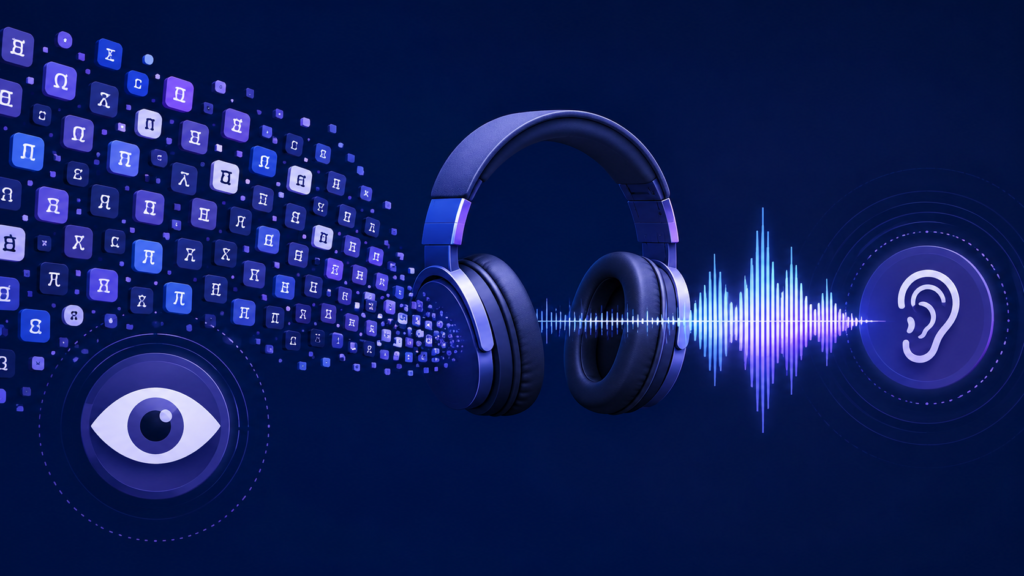
Unicode small text can turn hello into ʰᵉˡˡᵒ, ʜᴇʟʟᴏ, or ₕₑₗₗₒ in seconds. Visually, the change looks simple. For a screen reader, however, those characters may represent something very different.
That matters because Unicode small text is usually not ordinary text displayed at a smaller font size. Many generators replace standard letters with other Unicode characters. Those characters can carry phonetic, modifier, mathematical, or other specialized meanings.
As a result, screen readers may pronounce the text normally, announce character names, read it awkwardly, or skip parts of it. The outcome can vary by character, screen reader, browser, operating system, language, and settings.
So, can screen readers read Unicode small text? Sometimes. You should never assume they will.
What Unicode Small Text Really Is
Unicode gives computers a standard way to represent characters. Each encoded character has its own code point and properties.
A small text generator may search Unicode for characters that resemble tiny versions of Latin letters:
Normal text: Hello
Superscript-style: ᴴᵉˡˡᵒ
Small-cap-style: ʜᴇʟʟᴏ
Subscript-style: ₕₑₗₗₒ
These examples do not form one official “small text alphabet.” They can combine characters from blocks such as Spacing Modifier Letters, Phonetic Extensions, and Superscripts and Subscripts.
The Unicode Standard makes an important distinction. Its Phonetic Extensions chart says small capitals, superscripts, and subscripts in that block support phonetic representations where style can carry meaning. For general text, Unicode recommends regular letters with markup instead.
In short, a character may look like a tiny “h” while still being a different character from the normal letter “h.”
How Screen Readers Handle Unicode Small Text
A screen reader works with text and accessibility information exposed by the browser and operating system. It does not judge characters only by appearance.
Consider U+02B0, MODIFIER LETTER SMALL H: ʰ. Unicode treats it as a modifier letter rather than the ordinary lowercase Latin “h.”
That difference can affect speech output. A screen reader may treat a sequence as a word, identify individual characters, apply special pronunciation rules, or omit characters.
Therefore, two strings that look almost identical to a sighted reader can sound very different. NVDA, JAWS, VoiceOver, Narrator, and TalkBack also use different speech and platform behaviors.
What Screen Reader Accessibility Tests Have Found
Accessibility specialist Adrian Roselli documented a test of extended Unicode characters in 2021 and updated the page in 2022. His sample focused on faux bold and italic mathematical-style Unicode, not every type of Unicode small text.
The results varied sharply. NVDA 2021.2 with Firefox 93 skipped the faux bold and italic text. Windows Narrator with Edge 94 also skipped it.
JAWS 2021 with Chrome 94 announced individual letters with style descriptions. VoiceOver on macOS 11.4 with Safari 14.1.1 announced detailed mathematical character descriptions.
By contrast, VoiceOver on iOS 14.8 with Safari 14 skipped the tested text. TalkBack 9.1 on Android 11 with Chrome 94 treated the strings more like ordinary English words.
These results are not a 2026 compatibility chart. The software versions are old. However, the test still shows why developers should test visually similar Unicode characters instead of assuming consistent speech output.
Unicode Small Text vs CSS, Superscript, and Subscript
Character substitution and visual styling are different things.
If you want smaller text, CSS can change its visual size while keeping the underlying letters unchanged. Likewise, CSS font features can create small-cap styling when the chosen font supports it.
Unicode recommends style or markup for ordinary superscript and subscript presentation instead of using special characters only to imitate typography. It reserves many encoded superscript and subscript forms for specialized plain-text uses.
HTML elements such as <sup> and <sub> also require care. A screen reader may not automatically announce their visual position in a way that explains the intended meaning.
Stanford University gives a practical example. A price shown as $9 with superscript 99 may be heard as “$999” if nothing communicates the decimal relationship. Stanford recommends adding equivalent text information when formatting carries meaning.
Tiny text is cute. A nine-dollar item becoming nine hundred ninety-nine dollars in speech is less cute.
Does Unicode Small Text Fail WCAG 2.2?
Unicode small text does not automatically fail the Web Content Accessibility Guidelines. Context decides whether it creates an accessibility problem.
WCAG 2.2 Success Criterion 1.3.1, Info and Relationships, requires information, structure, and relationships conveyed through presentation to be programmatically determinable or available in text.
For example, raised characters might communicate an exponent, footnote, price, or other relationship. If a sighted visitor understands that relationship from appearance while a screen reader user receives a confusing string, the content may not preserve the same information.
The goal is not identical pronunciation on every device. The goal is equal access to meaning.
How to Run a Unicode Small Text Accessibility Test
1. Create a Normal-Text Baseline
Start with the exact message in ordinary characters. Use realistic content, such as “Your order ships tomorrow.”
This baseline shows how the screen reader normally handles the wording.
2. Test the Actual Unicode Version
Next, test the generated Unicode small text on the same page, browser, and screen reader.
Do not judge accessibility by appearance alone. Correct font rendering tells you little about speech output.
3. Test More Than One Screen Reader
Where resources allow, test NVDA and JAWS on Windows, VoiceOver on macOS and iOS, and TalkBack on Android.
W3C’s conformance guidance connects accessibility support with interoperability across assistive technologies that users actually rely on.
Because software changes, record the screen reader, browser, operating system, language, settings, and version.
4. Listen for Meaning
Check whether the screen reader skips letters or words. Listen for technical character names, broken pronunciation, strange pauses, or lost meaning.
Then ask: If I could only hear this content, would I understand the same message?
That question is more useful than debating whether a tiny “ᴇ” looks adorable.
Better Alternatives for Accessible Small Text
For normal website copy, keep the source text in ordinary characters and use CSS for presentation. This separates meaning from appearance and gives assistive technology cleaner text to process.
For small caps, use a suitable font and CSS features such as font-variant-caps. For ordinary superscript or subscript styling, prefer markup over replacing every letter with a look-alike character.
Mathematics needs extra care. The University of Illinois recommends structured formats such as MathML and Office MathML because they expose relationships including fractions, superscripts, and subscripts to assistive technologies.
Most importantly, do not use decorative Unicode as the only way to communicate warnings, prices, form labels, navigation, or instructions.
Is Unicode Small Text Bad for SEO?
Google does not publish a rule saying Unicode small text causes a ranking penalty. It also does not recommend decorative character substitution as an SEO tactic.
Google Search Essentials advises publishers to create helpful, reliable, people-first content and use words people search for in prominent places such as titles, main headings, alt text, and link text.
Therefore, ordinary descriptive text remains the safer choice for important headings, links, navigation, product names, and body copy. Decorative Unicode may look like Latin text to a person while giving software different code points.
Google also warns against keyword stuffing and does not publish a preferred keyword-density percentage for ranking.
Best Practice for Unicode Small Text Accessibility
Use Unicode characters for the meanings they were designed to represent. Use CSS when you only want a visual effect.
If you still use Unicode small text decoratively, keep it away from essential information and test it with real assistive technology. One successful browser test does not prove universal support.
Also, keep ordinary text available wherever users need to search, understand, copy, navigate, or interact.
You can still have personality. Just do not make the screen reader solve a character-encoding escape room to find it.
Final Verdict: Can Screen Readers Read Unicode Small Text?
Yes, screen readers can read some Unicode small text. However, they do not handle every character or character set consistently.
Decorative small-text generators often replace normal letters with Unicode characters that have different identities and specialized purposes. Screen readers then interpret those actual characters through their own speech rules and platform accessibility systems.
For decorative, non-essential text, the result may be acceptable after testing. For headings, navigation, prices, instructions, forms, educational material, or other important information, normal text with semantic HTML and CSS remains the safer choice.
If the content carries mathematical structure, use an accessible format such as MathML.
Good accessibility does not require removing style. It requires making sure style never steals meaning.

Related Articles