Small Text Compatibility Test: Instagram, Discord, WhatsApp, TikTok, X and Reddit
See how Unicode small text behaves across major social platforms and use a practical test plan for bios, posts, messages, and usernames.

A small text compatibility test helps you check whether tiny-looking Unicode characters work correctly on Instagram, Discord, WhatsApp, TikTok, X, and Reddit.
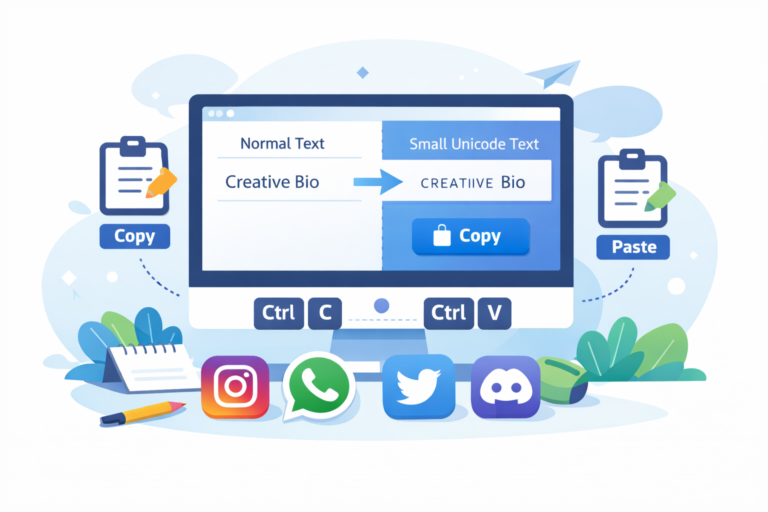
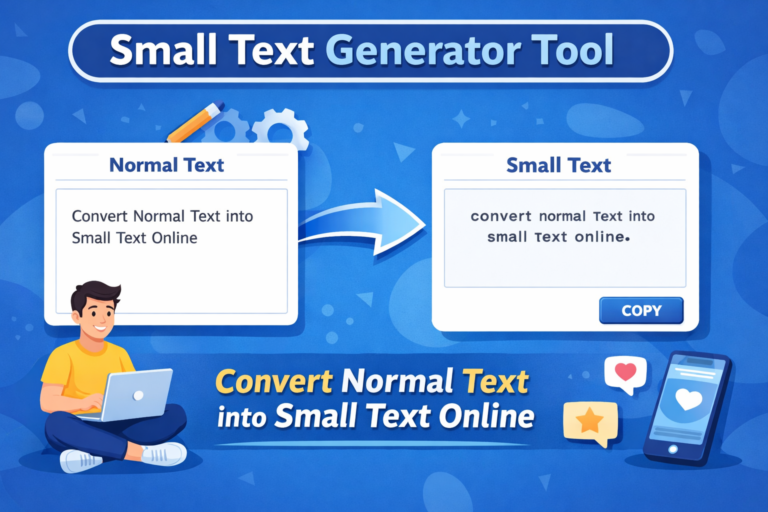
That matters because most small text generators do not actually reduce a font’s size. Instead, they replace normal letters with Unicode characters that already have smaller or raised shapes.
For example:
Normal text: Small Text
Small-style text: ˢᵐᵃˡˡ ᵗᵉˣᵗ
Small-cap style: sᴍᴀʟʟ ᴛᴇxᴛ
They may look like miniature versions of ordinary letters. Technically, however, many are separate characters.
That little detail causes most compatibility problems.
A phrase may look perfect in a generator but behave differently inside a username, bio, message, caption, or search field.
So, before decorating half your social identity like a tiny medieval manuscript, it helps to know what each platform allows.
What Is Unicode Small Text?
Unicode provides a standard system for representing characters across digital devices and software.
It includes modifier letters, superscript characters, subscript characters, mathematical symbols, letters from many writing systems, and thousands of other characters.
Unicode documentation explains that modifier letters function as characters in their own right. Many have superscript-like shapes because linguists use them for phonetic notation.
Therefore, a small text generator usually does not apply CSS, HTML, or a smaller font size.
Instead, it may convert:
a → ᵃ
b → ᵇ
t → ᵗ
Not every normal Latin letter has a perfect small equivalent. As a result, generators sometimes mix several Unicode character groups.
That explains why some converted words look slightly uneven.
Small Text Compatibility Test by Platform
| Platform | Good Places to Test Small Text | Main Caution | Verdict |
|---|---|---|---|
| Bio, name, captions, comments | Decorative Unicode has no universal compatibility guarantee | Good for light decoration | |
| Discord | Display names, nicknames, messages | Usernames have strict character rules | Very good outside usernames |
| Chats, profile name, About | Username system is changing in 2026 | Good for casual use | |
| TikTok | Nickname, captions, comments | Usernames allow limited character types | Good outside usernames |
| X | Display name, bio, posts | Handles allow only limited characters | Good outside handles |
| Posts, comments, profile text | Native formatting is usually cleaner | Best for occasional accents |
The table gives you the short answer. However, each platform deserves a closer look.
Instagram Small Text Compatibility
Instagram gives users several text-based areas, including a profile name, username, bio, captions, and comments.
Decorative Unicode may appear in normal text fields because the characters remain text rather than images. However, Meta does not provide a public field-by-field guarantee that every decorative Unicode character will render identically across Instagram versions and devices.
Therefore, always test the exact text you want to publish.
For a brand or creator account, keep your main name readable in ordinary characters. You can then use small text for a short secondary phrase.
For example:
North Street Coffee
ˢᵐᵃˡˡ ᵇᵃᵗᶜʰ • ᶠʳᵉˢʰ ᵈᵃⁱˡʸ
That approach keeps the entity clear while still adding visual personality.
You should also avoid replacing every important keyword with fancy characters. A stylish bio is useful. A bio that requires a decoder ring is less useful.
Discord Small Text Compatibility
Discord provides one of the clearest distinctions between usernames and display names.
Discord usernames can contain lowercase Latin letters, numbers, underscores, and periods. They must contain between 2 and 32 characters.
Therefore, most Unicode small-text characters cannot replace ordinary letters in a Discord username.
Display names work differently.
Discord allows display names to contain spaces, emojis, special characters, uppercase letters, lowercase letters, and non-Latin characters. Display names can contain up to 32 characters.
That makes a display name or server nickname a much better place to test decorative small text.
Discord also introduced Display Name Styles for Nitro users. The feature lets users apply supported fonts, colors, and effects directly to their display names.
So, if Discord already gives you native styling, you may not need to turn every letter into unusual Unicode.
WhatsApp Small Text Compatibility
WhatsApp small text works differently because WhatsApp mainly focuses on direct communication.
Users may experiment with decorative Unicode in chats, profile names, and About text. However, WhatsApp does not publish a universal list that guarantees every decorative character across every device or font.
That makes testing important.
There is also a major 2026 change to consider.
In June 2026, Meta announced that WhatsApp had started allowing users to reserve usernames before a wider username rollout later in the year. Meta says the feature will eventually let people connect without exposing their phone number.
Because that username system is still rolling out, avoid assuming that decorative small text will work there.
Meta also says people will need to know someone’s exact WhatsApp username to make first contact through the feature.
That gives you another reason to keep identifiers simple.
For ordinary messages, small text can still add personality.
Just don’t send your house number, flight time, or emergency instructions entirely in microscopic-looking Unicode. Your friends should not need a magnifying glass and emotional support.
TikTok Small Text Compatibility
TikTok clearly separates a username from a nickname.
TikTok usernames can contain letters, numbers, underscores, and periods. A period cannot appear at the end of a username. Changing the username also changes the account’s profile link.
Therefore, a TikTok username is not a reliable place for most decorative small-text characters.
Nicknames offer more freedom.
TikTok allows nicknames up to 30 characters. The platform displays them in places such as the For You feed, comments, and direct messages. TikTok also requires nicknames to follow its Community Guidelines.
That makes the nickname a better place for short Unicode styling.
You can also test small text in captions and comments. However, keep the core message readable.
Creators depend on quick recognition. If users must study your display name like an ancient inscription, the styling has probably gone too far.
X Small Text Compatibility
X also separates the account handle from the display name.
According to X Help, a username or handle can contain only letters, numbers, and underscores. It must contain more than four characters and can contain no more than 15.
The display name can contain up to 50 characters.
Therefore, keep the @handle straightforward.
You can experiment more freely with a display name, bio, or post, although individual Unicode characters may still render differently depending on fonts and devices.
For public posts, use decorative text as an accent rather than the main message.
Readers scroll quickly on X. Making them solve a typography puzzle rarely helps your point.
Reddit Small Text Compatibility
Reddit deserves special attention because it already provides native formatting tools.
Its current rich text editor includes options such as headings, bold, italics, strikethrough, spoilers, and hyperlinks.
Reddit has also changed how Markdown works.
As of its May 2026 help documentation, Reddit is moving the mobile app fully toward its rich text composer. Markdown remains available through Reddit’s desktop web experiences, including reddit.com and old.reddit.com.
Therefore, native formatting often makes more sense than Unicode small text in long Reddit discussions.
You should also choose your Reddit username carefully.
Reddit states that once a username becomes finalized, you cannot change it, even to adjust capitalization.
For that reason, keep permanent account identifiers practical.
Use small text in a post or profile only when it adds something useful.
Small Text and Accessibility
A compatibility test should check more than appearance.
Decorative Unicode can create accessibility problems even when it displays correctly.
The University of Houston’s social media accessibility guidance specifically warns against replacing normal letters with decorative Unicode. It notes that screen readers may not interpret those characters correctly.
Therefore, never place essential information only in small Unicode text.
A safer format looks like this:
Weekend Sale — 20% Off Selected Items
ˢᵃᵗᵘʳᵈᵃʸ & ˢᵘⁿᵈᵃʸ
The important message stays readable. The decorative line simply adds style.
This approach helps users who rely on screen readers while also improving general readability.
How to Run a Small Text Compatibility Test
Start with a short phrase instead of converting an entire profile.
First, paste the small text into the exact field you plan to use. Then save or preview it.
Next, check the result on another phone, browser, or operating system when possible.
Look for missing characters, empty boxes, unusual spacing, or letters that suddenly appear larger than their neighbors.
You should also copy the result back into a plain-text editor. This step helps confirm that the platform preserved the original Unicode characters.
Finally, test important text with a screen reader when accessibility matters.
If the wording becomes confusing when read aloud, use normal text instead.
Is Small Text Good for SEO?
Small text does not create a special SEO advantage.
Google recommends helpful, reliable, people-first content. It also recommends using the words people search for in prominent and descriptive locations.
At the same time, Google’s spam policies warn against repeating keywords unnaturally to manipulate rankings.
So, don’t convert an important page title, product name, business name, or primary keyword entirely into decorative Unicode.
Keep important entities in normal text.
For example, write:
Instagram Small Text Generator
rather than relying only on:
ᴵⁿˢᵗᵃᵍʳᵃᵐ ˢᵐᵃˡˡ ᵀᵉˣᵗ ᴳᵉⁿᵉʳᵃᵗᵒʳ
The first version gives users, search engines, and assistive technologies a clearer signal.
Does Google Recommend a Specific Keyword Density?
No fixed percentage guarantees better rankings.
Yoast checks keyphrase density mainly to help writers stay on topic without overusing a phrase. Yoast itself explains that exact-keyphrase repetition has become less important and warns against over-optimization.
Google takes a similar people-first approach and explicitly warns against keyword stuffing.
Therefore, use phrases such as Instagram small text, Discord small text, and Unicode small text only where they make sense.
Natural language beats robotic repetition.
Frequently Asked Questions
Does small text work on every social media platform?
Not perfectly. Decorative small text usually relies on Unicode characters, and platforms apply different rules to usernames, display names, posts, and profile fields.
Can I use small text in usernames?
Sometimes, but many platforms restrict username characters. Discord, TikTok, and X document clear limits. Use ordinary characters for account identifiers whenever possible.
Is Unicode small text a real font?
Usually not. Most small text generators substitute ordinary letters with Unicode modifier, superscript, or similar characters.
Can small text affect accessibility?
Yes. Decorative Unicode may cause problems for screen readers. Keep essential information in standard text.
Final Verdict
The small text compatibility test produces one clear conclusion: decorative Unicode works best as an accent, not as a replacement for normal writing.
Discord offers flexible display names but strict usernames. TikTok separates flexible nicknames from more restricted usernames. X keeps handles limited while giving display names more room.
Reddit already offers strong native formatting tools. Instagram allows several places to experiment, although you should test decorative Unicode before relying on it. Meanwhile, WhatsApp’s evolving 2026 username system makes simple account identifiers especially sensible.
Most importantly, keep accessibility in mind.
Small text can make a profile look distinctive. It should never make information harder to find, read, search, type, or understand.
Use it lightly, test it carefully, and keep the important words normal-sized in spirit—even when the decorative ones are proudly tiny.

Related Articles