
In today’s digital world, standing out with unique text styles has become more important than ever. A Small Text Generator helps you instantly convert normal text into stylish tiny, bold, bubble, or decorative formats without changing the original meaning. It’s a simple yet powerful tool for both creativity and functionality.
Whether you are creating social media posts, designing content, or formatting academic work, small text adds a distinctive visual touch. Instead of struggling with complex Unicode characters, you can generate eye-catching text in seconds with a quick copy and paste.
From branding and usernames to captions and presentations, this tool offers an effortless way to transform ordinary writing into something visually engaging. It saves time, enhances creativity, and works smoothly across most digital platforms.
Enter Your Text
Text Variations
What is a Small Text Generator?
From my experience working with different writing platforms, I’ve found that an online tool like a small text generator is incredibly practical for both academic and creative work. It is designed to help users convert normal text into a smaller font without disturbing the spelling or sentence structure. Instead of manually learning complex Unicode characters, you can easily copy and paste your ᵗᵉˣᵗ into the tool, and it steadily handles the converting process accurately. Whether you want a small letter style, bold Caps, sᴍᴀʟʟ ᴄᴀᴘs, or even something funky, the generator provides a variety of styles and options to make your text’s look more unique and stylish in just moments.
I’ve personally used these tiny text Apps for SocialMedia like Instagram, Facebook, and Reddit, where a case-converted or even backward style can generate attention. It also allows quick change of size to fit different layout needs, whether for Postscripts, footnotes, references, captions, or formal notes that follow APA, MLA, or other guidelines. This makes it a standard solution for many purposes, from academic writing to fun branding. The efficienttool not only convert text in an extremely smooth way but also offers additional creative control while keeping the result accurate and easy to setting up in everyday digital life across multiple Media platforms.
What is Small Text and What Else Is It Called?
→ Many people first hear about Unicode when they learn it can specify over 120,000 symbols that computers represent through a global standard system. From my experience in content formatting, this is the real reason why Tiny or small text exists. It is based on special characters arranged in a set or multiple sets that generate unique styles. These styles can make normal text look different, sometimes ˡⁱᵏᵉ ˡⁱᵏᵉ ᵗʰⁱˢ, or even upside-down, backward, or bubble. That is why small text is also called tiny, fancy text, or decorative font styles. The resemblance is simple: regular letters change in appearance, but the meaning stays the same.
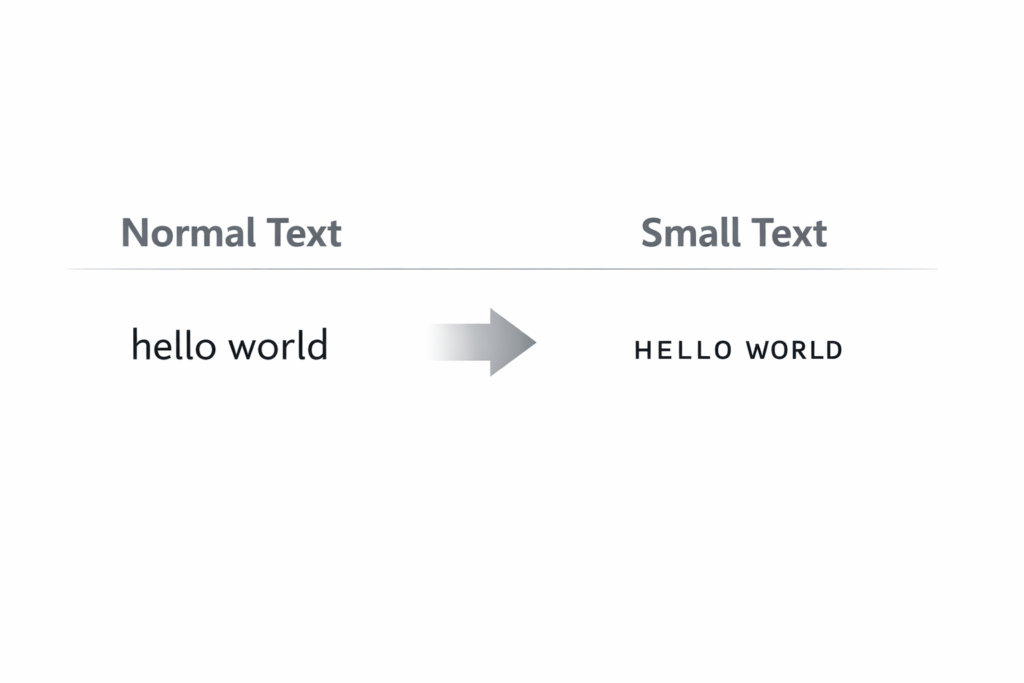
On the backend, this is not a new software trick from MS Word, Google Docs, or other word processing programs, because they often do not fully support these styles. Instead, an online tool uses automated algorithms to convert and generate text in seconds. Users can simply copy and paste after copying or pasting the text, and it can be used anywhere in the virtual world. The special characters also allow systems to manipulate digital writing, making it easy to make a small or tiny version of your message. This process helps generate creative results while still keeping the text readable within any digital space.
How to Use the Small Text Generator
Below is a simple and clear way to use the Small Text generator without any registration process or hectic phase
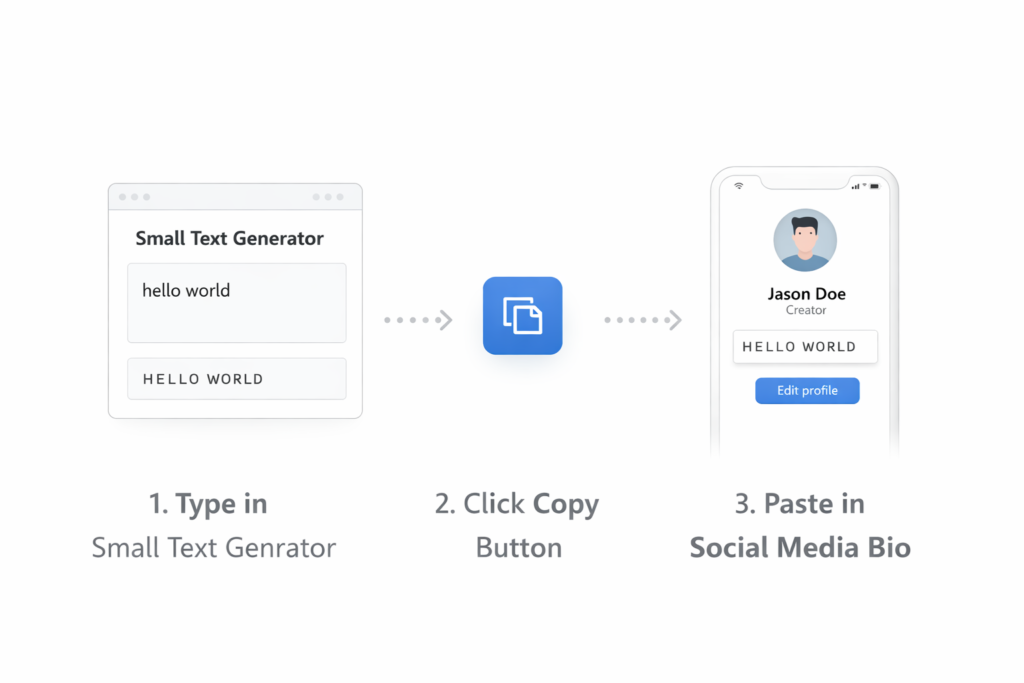
- Start by opening the Small Text Generator on the web page. It is entirely free and easy to access.
- In the input box or field above, type the words you wish to convert, or Copy and Paste after copying and pasting your content.
- Browse a variety of fonts and Choose your desired option like Bold, Bubble, Caps, Upside, or Backwards (backwords) to make your text look different.
- Click the convert or Click button to begin the conversion. Your result will be generated in a second in the right panel as the final output.
- Use Copy to send it to your clipboard or Download it if needed.
After that, you can Go to your favourite social media channel, e.g., Facebook or Twitter, and Post your tiny update. You can also add it to a Bio, document, web page, ads, or captions to improve visual creativity and online expression. The tool makes the process conveniently effortless, helping you utilize this simple changer without any difficulty.
Generating Small Text / Tiny Text
For whatever purpose you want, generating tiny or small text is easier than most people think. You don’t need learning, payment, or any complex setup—just open the online generator in your browser and type your words or phrase. The tool uses unicode characters to transform your normal sentence structure into a case-converted or subscript style that may appear slightly above or below typical characters, similar to the ™ symbol. With a wide variety of options, including Caps, sᴍᴀʟʟ, backward, or even micro formats, you can convert text into something unique, cool, and even super subtle. I often preview different sizes to see how the formatting will look on a web page, document, or across social media platforms like instagram, facebook, and reddit before I copy it.
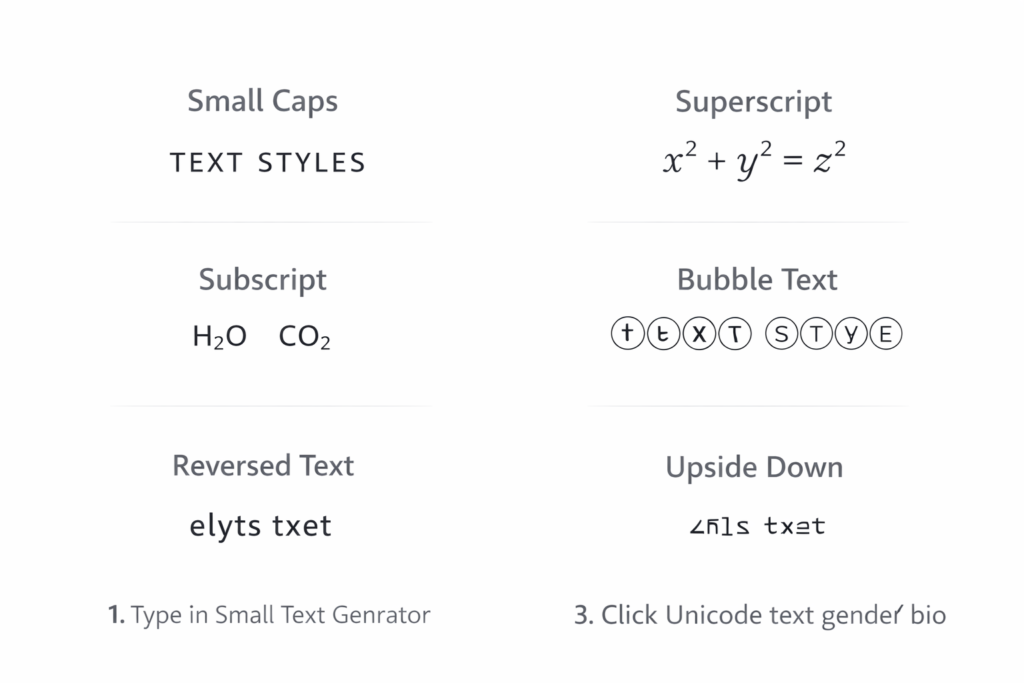
Once your text is generated, you can copy it easily and use it wherever you like. The generator provides a free and efficiently working system that helps you make a desired change without disturbing the original structure of your message. You can also discover many famous names or slang terms for this style, such as whisper text. After making your selection, you are good to go—your content will appear correctly on most devices and digital platforms. Whether you are preparing a specific message, adding additional styling for branding, or experimenting with different formats, the entire process works effortlessly and delivers a polished outcome.
Modes / Types of Small Text Generator
Below are the main mode options available in a Unicode-based Small Text Generator:
- Tiny / small Text Mode – This mode converts normal-looking text into tiny-sized letters using Unicode characters, such as ᵈᵘᵖˡⁱᶜʰᵉᶜᵏᵉʳ. It keeps the original word structure but changes the visual appearance.
- Small Caps Mode – Displays uppercase-style letters like Sᴍᴀʟʟ, but technically works through substitution of glyphs instead of changing the actual case.
- Bold Mode – Adds a thicker layer of weight to alphabets, making text more prominent, as shown in 𝐃𝐮𝐩𝐥𝐢𝐜𝐡𝐞𝐜𝐤𝐞𝐫. Useful in running text when you want to emphasizes something without overusing italicize or traditional boldface.
- Bubble Mode – Encapsulates each letter inside a circle, creating a funnier, playful, and more unique look.
- Upside Down / Down Mode – Flips the text in the opposite direction, such as ɹǝʞɔǝɥɔıןdnp, making it visually creative and eye-catching.
- Backward / Backwards Mode – Rewrites words in reverse order, for example ᴙɘkↄɘHↄilqUb, often used for social media posts or thought-provoking expression.
- Superscript Mode – Places a character, number, or alphabet slightly above a word, commonly used in mathematical formulas or technical values, e.g., ᴰᵘᵖˡᶦᶜʰᵉᶜᵏᵉʳ.
- Subscript Mode – Positions a character slightly below a word, often used for chemical isotopes or scientific specification, e.g., Dᵤₚₗᵢ𝒸ₕₑ𝒸ₖₑᵣ.
Each Generator provides multiple variations, allowing the user to transform, convert, and experiment with different font formats depending on their creative or professional needs.
Small Text Letters Alphabets
Small text letters are created using mini unicode sets of symbols, not traditional fonts.
- There are three main alphabets used for small text styles.
- One set looks like: ᴀʙᴄᴅᴇғɢʜɪᴊᴋʟᴍɴᴏᴘǫʀsᴛᴜᴠᴡxʏᴢ
- Another set appears as: ᵃᵇᶜᵈᵉᶠᵍʰᶦʲᵏˡᵐⁿᵒᵖᑫʳˢᵗᵘᵛʷˣʸᶻ
- The subscript alphabet is: ₐbcdₑfgₕᵢⱼₖₗₘₙₒₚqᵣₛₜᵤᵥwₓyz
As you can see, the subscript set is a bit lacking at the moment, meaning it is not a full set..
Unicode Support for Small Text
When people see small or miniature text online, they often think it’s a special font, but it’s actually based on an international textual specification called Unicode. This system was adopted by the vast majority of the computer industry around the world and now includes over 120,000 symbols. These symbols are organized in different blocks and sets, allowing a generator to convert regular letters into uppercase, caps, superscript, or even a pseudo-alphabet. However, not every character has a full or complete equivalent, which is why some letters look a bit weird or appear as non-translated text. This is especially true for superscipt styles, where characters were pieced together from different Unicode blocks rather than built as one true alphabetical set.
From my experience while building and testing small text tools, I noticed that currently most browsers and fonts only support a subset of Unicode, though support is always growing. That’s why small text works well on platforms like Facebook, Twitter, and Tumblr, where users can simply copy and pasted stylized characters into their profiles or posts. If a symbol doesn’t convert properly, it’s usually a Unicode limitation rather than a system issue. Still, because Unicode provides a strong foundation and continues to expand, we are getting closer to a more complete and consistent way to display small and decorative text across the digital world.
Benefits of Small Text Generator
Free & Unlimited
- Completely free to use with no subscription, no registration, and no hidden charges — not even a single penny for a lifetime.
- Provides an unlimited opportunity to generate stylish small and bold text anytime.
Efficient Performance
- Smart algorithms help generate results efficiently and often instantaneously.
- The process is simple, delivers instant output, and works without any delay.
Easy to Use Interface
- An easy-to-use UI and clean interface make the utility accessible even for non-professional users.
- Users can type or upload text, and the system will execute the rest automatically.
Multiple Outputs
- Can generate six types of styles from regular-sized text.
- Includes formats like bold, bubble, and backwards text styles.
No Download Required
- Fully web-based service — no application or plugin required.
- Only a browser and a stable internet connection are needed.
Compatibility & Accessibility
- Highly compatible and accessible across Android, iOS, Windows, Mac, and Linux operating systems.
- Available anytime you have internet access.
Applications / Where Can You Use Small Text?
Social Media
Tiny text is widely used on social media to make content more engaging.
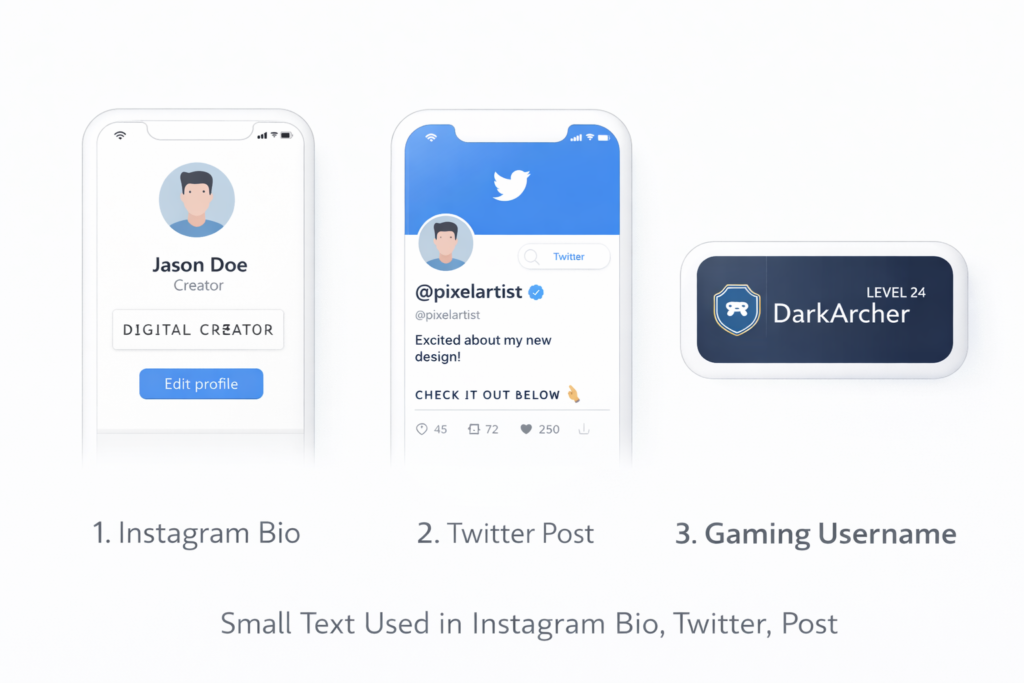
- Used in posts, captions, memes, and videos on Instagram, Twitter, and Facebook.
- Helps users create content that stand out with a creative and aesthetic touch.
Usernames & Identity
Many people use tiny text to build a unique online presence.
- Applied in usernames on gaming platforms and online forums.
- Helps create a distinctive identity across digital platforms.
Digital Art & Design
Tiny text adds style to creative projects.
- Used in digital art and graphic design as a stylistic element.
- Can complement the overall visual composition.
Websites & Blogs
Website creators use tiny text for variety and emphasis.
- Used by bloggers and website owners in different sections of their websites.
- Helps create visual variety and emphasize a specific point discreetly.
Messages & Presentations
Tiny text can subtly change tone and mood.
- Used in private chats, group chats, presentations, and slides.
- Helps convey a particular mood without overwhelming the design.
Why Use a Small Text Generator?
If you regularly work with academic, professional, or personal content, a small text generator can save you time and effort. Instead of adjusting every letter or font manually, you can simply convert your text in seconds. The simple copy-and-paste interface makes the process smooth and easy, and it requires no sign-up. From my experience, this kind of tool is perfect when you need quick formatting changes without interrupting your workflow. It gives you everything you need in one place.
Another strong reason to use it is the variety of options available. Whether your purpose is creative branding or meeting strict formatting rules, you can quickly find the perfect style. It is completely free, and you can use it again and again to improve the speed of your content creation. When you want to meet specific design needs with complete ease, this tool helps you do it efficiently and without hassle.
Final Words
A Small Text Generator is more than just a styling tool — it’s a practical solution for adding creativity, emphasis, and personality to your digital content. With its simple copy-and-paste functionality and multiple formatting options, it allows anyone to transform ordinary text into something visually appealing within seconds.
Whether you’re enhancing social media posts, refining academic formatting, building a unique online identity, or experimenting with creative designs, this tool makes the process fast and effortless. As Unicode support continues to expand, small text will remain a powerful and accessible way to elevate your content across the digital world.
Frequently Asked Questions
What are tiny font styles?
Tiny font styles are Unicode characters that make normal text look small, superscript, or decorative. You can copy and paste them anywhere online.
How does a big to small text generator work?
It converts regular text into small Unicode characters instantly. Just type, convert, and copy the result.
Can I use a small text generator on WhatsApp?
Yes. Generate the small text, copy it, and paste it into WhatsApp chats or status.
Does small text work in Minecraft?
Yes, in many cases. You can use it for usernames or chat, but some servers may restrict certain characters.
Does it support Russian and other languages?
It supports many languages, including Russian, if Unicode characters are available. Some letters may not fully convert.